An agent skill for Claude Code, Copilot and more
Your agent ships UI.
Pristine makes it look designed.
It screenshots your real page, scores it out of 10 through your users' eyes, and fixes what holds it back. In light and dark, on desktop and mobile, and it looks again before it says it's done.
npx skills add maddhruv/pristineBefore3.5/10

After9.5/10

- P0
The proof is made up
Lens: clarify
- P0
Focus is removed and contrast fails
Lens: harden
- P1
The hero doesn't say what it does
Lens: clarify
Left is what an agent shipped on its own. Right is the same page after /pristine polish src/pages/index.astro. Read the full critique
Commands
Four commands. Each one looks before it judges.
Every command reads your DESIGN.md, captures the real UI, and holds it to the same craft floor. Point any of them at a URL, a screenshot, a file, or a feature name.
Learns what your product does, who it's for, and the design system already in your code, then writes DESIGN.md.
When Once per project, before anything else. Every later command judges against it.
/pristine init- DESIGN.md: Product, Personas, Brand, Design System, Do / Don't
- The default standard applied: WCAG 2.2 AA, evergreen browsers, LCP < 2.5s on mobile
Screenshots the target, walks it as each Persona, and scores it out of 10 on 11 Dimensions with brutal honesty and the exact fixes to reach 10/10.
When Before a launch, in review, or when something feels off and you can't say why.
/pristine critique localhost:3000/pricing- Overall score, Level, and per-Dimension scores
- Priority fixes ranked P0 to P2, each with its Lens
- Never edits a file
Builds new UI from scratch, or redesigns existing UI in a new direction. Offers 2 to 3 Directions, builds the one you pick, keeps every feature on a redesign.
When Nothing exists yet, or the current look can't be polished to a 10.
/pristine design "a pricing page for teams"- 2 to 3 written Directions to choose from
- Production code to the craft floor, in light and dark, desktop and mobile
- A preserved-features checklist on redesigns
Diagnoses the target, then applies only the Lenses that raise its score, keeping the current look. Verifies with an after-capture.
When The UI exists and works, but isn't finished. This is what a bare /pristine does by default.
/pristine polish src/app/settings/page.tsx- A Before / After / Why table with real values
- Dimension scores before and after
- What's still short of 10, honestly
Just type /pristine
A bare invocation routes by what you ask for.
| You say | It runs |
|---|---|
| “Build a pricing page” | design |
| “Redesign the dashboard, it looks dated” | design |
| “Clean up the settings page” | polish |
| “Is this signup any good?” | critique |
Point it at anything
Four kinds of target, resolved before any work starts.
- URL
- localhost:3000/pricing
- Screenshot
- a pasted image
- File path
- src/components/Hero.tsx
- Feature name
- “the checkout flow”
Or force a Lens
/pristine polish bolder animate runs exactly those. Sixteen in all:
Examples
Eight surfaces, before and after.
Each "before" is what a coding agent typically ships unaided. Each "after" is the same product with the same content, after one Pristine run. Both are live pages; open them, resize them, tab through them.


Built with Pristine
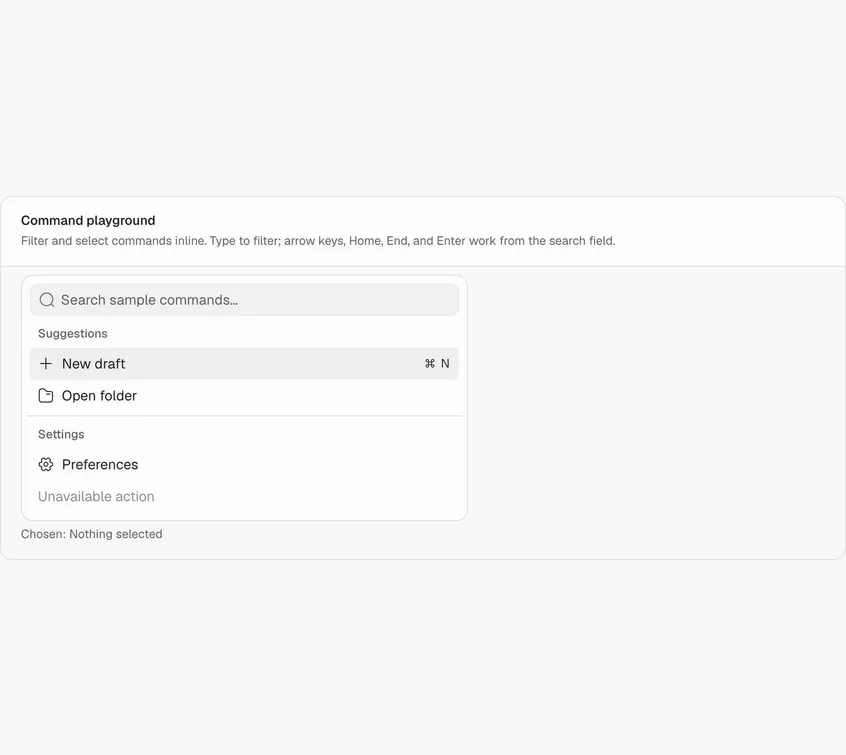
Sprout: 102 components, every one through /pristine.
A React 19 and Tailwind 4 component library on Base UI, in light and dark. Each component was designed, critiqued and polished with the skill, and each shows its real states, not a happy path.
 sprout.tulipfarm.ai (opens in a new tab)


How it judges
No guessing from the code. It looks.
Before scoring and after every fix, Pristine captures the target in four cells, using whatever browser your agent has: Claude in Chrome, a Playwright MCP, or its own bundled script.
Eleven Dimensions, scored out of 10
- Persona fit
- Hierarchy & clarity
- Layout & spacing
- Typography
- Color & theming
- Consistency
- Responsiveness
- Motion & interaction
- Accessibility
- Copy
- Robustness & performance
Placed on a Level first
- 2Template Could be any product. Default fonts, stock gradients, emoji icons.
- 6Clean Nothing broken, nothing memorable. Where most agent output stops.
- 8Considered Real hierarchy, real states, designed dark mode, motion that explains.
- 10Memorable One idea only this product could have, finished to the last focus ring.
The laws
Twenty laws behind every score.
Taste isn't a vibe. Every critique finding and every fix traces back to one of these, and to the Lens that applies it. Twenty is too many to hold at once, so they come in five groups.
5 lawsChoosing
How fast people pick, and what they notice first.
Hick's Law
More choices make every decision slower.
Caps competing choices at four, and counts them.
distill
Visual Hierarchy
The eye goes to the strongest element first.
One clear first read per screen, then a calm order.
bolder · quieter
Von Restorff Effect
The one thing that differs is the one remembered.
One accent per screen, spent on the action that matters.
decolorize
Serial Position Effect
First and last items are remembered best.
Puts the key items first and last in lists and nav.
layout
Occam's Razor
The simplest solution that works is usually right.
Removes before it adds.
distill
4 lawsGrouping
How the eye decides what belongs together.
Miller's Law
Short-term memory holds about seven things.
Chunks any run longer than seven into named groups.
layout
Law of Proximity
Things near each other read as related.
Spaces tighter inside a group than between groups.
layout
Law of Similarity
Things that look alike read as the same kind.
One look per role: same thing, same style, everywhere.
consistency
Law of Common Region
Things inside one boundary read as a group.
Uses containers only where they mean a group.
layout
4 lawsActing
Targets, speed and the answer to every action.
Fitts's Law
Big, close targets are faster to hit.
44px targets, primary actions in thumb reach on mobile.
adapt
Doherty Threshold
Responses under 400ms keep people in flow.
Shows feedback on every action within 400ms, real or optimistic.
optimize
Postel's Law
Be liberal in what you accept, strict in what you store.
Accepts messy input, normalizes it, and says what it changed.
harden
Feedback Loops
Every action needs a visible result.
Pressed, loading, done and failed states on everything that acts.
clarify · harden
4 lawsLearning
What people already know, and what they have to remember.
Jakob's Law
People expect your product to work like the ones they already use.
Keeps familiar patterns unless breaking one clearly pays.
consistency
Progressive Disclosure
Show what most people need; reveal the rest on request.
Moves advanced options behind a step, never removes them.
distill
Recognition over Recall
Seeing an option beats remembering it.
Visible labels, recent items, and examples in place of blank fields.
clarify
Tesler's Law
Some complexity can't be removed, only moved.
Moves it to the system: infer, prefill, detect.
distill
3 lawsFeeling
What people remember about how it felt.
Aesthetic-Usability Effect
People believe a good-looking interface is easier to use.
Holds every screen to the craft floor before calling it done.
polish-details
Peak-End Rule
People judge an experience by its best moment and its end.
Designs the finish of a flow, not just the start.
delight
Goal-Gradient Effect
People speed up as the goal gets close.
Shows step progress, and never starts it at zero.
clarify
Install
Two lines, then /pristine init.
Claude Code
Add the marketplace, then install the plugin. Updates itself.
/plugin marketplace add maddhruv/pristine/plugin install pristine@pristineCodex
Same marketplace, from the Codex CLI.
codex plugin marketplace add maddhruv/pristinecodex plugin add pristine@pristineGitHub Copilot
CLI and VS Code.
copilot plugin marketplace add maddhruv/pristinecopilot plugin install pristine@pristineAny other agent
Copies the skill where your agents look for it.
npx skills add maddhruv/pristineThen, in your project: /pristine init to write DESIGN.md, and /pristine on whatever you're building.